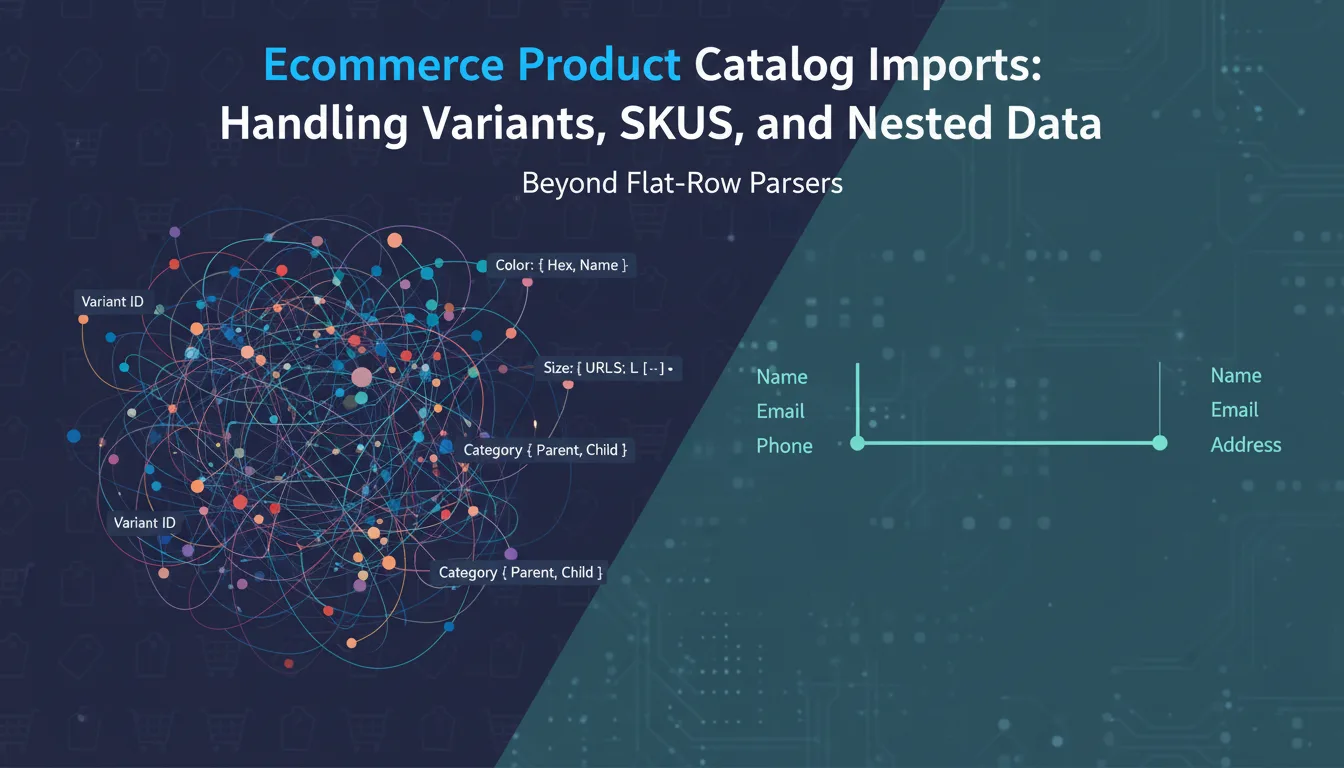
Product catalog imports are the most complex data import problem in ecommerce. Unlike CRM contacts — which map cleanly to a flat row — products have variants, nested attributes, image URLs that need validation, category hierarchies, and inventory levels spread across multiple locations. The flat CSV or XLSX format your suppliers send you wasn't designed for this structure. Building an import pipeline that normalizes it reliably, without losing data or creating duplicate SKUs, requires a different approach than a generic row-by-row parser.
1The Structure Problem: Products Are Not Flat
A simple T-shirt in an ecommerce catalog is not one record. It's one product with four size variants and three color options — twelve variant combinations. Each variant has its own SKU, price, weight, and inventory count. The parent product has a name, description, category, and image gallery. In a database, this is a parent-child relationship: one `products` row with twelve `product_variants` rows.
When suppliers export their catalog, they typically flatten this into one of two patterns. The first is a single-row-per-variant format, where parent product attributes are repeated across all variant rows. The second is a group header format, where the parent product occupies the first row and variants follow with blank parent fields. Both formats represent the same data structure, but they require different parsing strategies.
- ✓Single-row-per-variant: parent data repeated across variant rows — straightforward to parse, wasteful of space, easy to detect duplicates
- ✓Group header format: parent row + variant rows with blank parent fields — compact, requires grouping logic to reconstruct the hierarchy
- ✓Attribute columns: separate columns for each variant dimension (Size, Color, Material) — limits flexibility, breaks when attributes vary per product
- ✓Serialized attributes: a single 'Variants' column containing JSON or pipe-delimited values — most flexible, hardest to parse and validate
- ✓Multi-sheet format: parent products on Sheet 1, variants on Sheet 2, linked by SKU or product ID — requires cross-sheet joins before import
2Designing Your Target Schema
Before you write any parsing code, define the database schema your import pipeline needs to populate. Most ecommerce platforms use a product-variant model:
CREATE TABLE products (
  id            UUID PRIMARY KEY DEFAULT gen_random_uuid(),
  sku           TEXT UNIQUE NOT NULL,       -- parent SKU / product handle
  name          TEXT NOT NULL,
  description   TEXT,
  category_path TEXT[],                     -- e.g. ['Apparel', 'Tops', 'T-Shirts']
  brand         TEXT,
  tags          TEXT[] DEFAULT '{}',
  status        TEXT DEFAULT 'draft',       -- 'draft' | 'active' | 'archived'
  created_at    TIMESTAMPTZ DEFAULT NOW(),
  updated_at    TIMESTAMPTZ DEFAULT NOW()
);

CREATE TABLE product_variants (
  id             UUID PRIMARY KEY DEFAULT gen_random_uuid(),
  product_id     UUID NOT NULL REFERENCES products(id) ON DELETE CASCADE,
  sku            TEXT UNIQUE NOT NULL,      -- variant-level SKU
  price          NUMERIC(10, 2) NOT NULL,
  compare_price  NUMERIC(10, 2),            -- original price for sale display
  cost           NUMERIC(10, 2),            -- cost of goods
  weight_grams   INT,
  attributes     JSONB DEFAULT '{}',        -- { "size": "M", "color": "Blue" }
  inventory      INT DEFAULT 0,
  barcode        TEXT
);

CREATE TABLE product_images (
  id         UUID PRIMARY KEY DEFAULT gen_random_uuid(),
  product_id UUID NOT NULL REFERENCES products(id) ON DELETE CASCADE,
  url        TEXT NOT NULL,
  alt_text   TEXT,
  position   INT DEFAULT 0
);3Parsing Single-Row-Per-Variant Format
This is the most common format from Shopify exports, Amazon flat files, and most B2B supplier spreadsheets. Group rows by a parent identifier — typically the product handle or parent SKU — and reconstruct the hierarchy.
function groupVariantsByProduct(rows) {
  const productMap = new Map();

  for (const row of rows) {
    const parentSku = row['Handle'] ?? row['Product SKU'] ?? row['parent_sku'];
    if (!parentSku) continue;

    if (!productMap.has(parentSku)) {
      productMap.set(parentSku, {
        sku: parentSku,
        name: row['Title'] ?? row['Product Name'],
        description: row['Body (HTML)'] ?? row['Description'],
        brand: row['Vendor'] ?? row['Brand'],
        categoryPath: parseCategoryPath(row['Type'] ?? row['Category']),
        tags: parseTags(row['Tags']),
        images: [],
        variants: [],
      });
    }

    const product = productMap.get(parentSku);

    // Add image if present and not already in list
    const imageUrl = row['Image Src'] ?? row['Image URL'];
    if (imageUrl && !product.images.find((img) => img.url === imageUrl)) {
      product.images.push({
        url: imageUrl,
        altText: row['Image Alt Text'] ?? product.name,
        position: product.images.length,
      });
    }

    // Add variant
    const variantSku = row['Variant SKU'] ?? row['SKU'];
    if (variantSku) {
      product.variants.push({
        sku: variantSku,
        price: parsePrice(row['Variant Price'] ?? row['Price']),
        comparePrice: parsePrice(row['Variant Compare At Price'] ?? row['Compare Price']),
        weightGrams: parseWeight(row['Variant Grams'] ?? row['Weight (grams)']),
        inventory: parseInt(row['Variant Inventory Qty'] ?? row['Inventory'], 10) || 0,
        barcode: row['Variant Barcode'] ?? row['Barcode'],
        attributes: parseVariantAttributes(row),
      });
    }
  }

  return Array.from(productMap.values());
}

function parseCategoryPath(raw) {
  if (!raw) return [];
  // Handle both 'Apparel > Tops > T-Shirts' and 'Apparel/Tops/T-Shirts'
  return raw.split(/[>/]/).map((s) => s.trim()).filter(Boolean);
}

function parseTags(raw) {
  if (!raw) return [];
  return raw.split(',').map((s) => s.trim()).filter(Boolean);
}

function parsePrice(raw) {
  if (!raw && raw !== 0) return null;
  const num = parseFloat(String(raw).replace(/[^0-9.]/g, ''));
  return isNaN(num) ? null : num;
}

function parseVariantAttributes(row) {
  const attrs = {};
  // Shopify-style: Option1 Name + Option1 Value pairs
  for (let i = 1; i <= 3; i++) {
    const name = row[`Option${i} Name`];
    const value = row[`Option${i} Value`];
    if (name && value) attrs[name.toLowerCase()] = value;
  }
  return attrs;
}4SKU Validation and Deduplication
SKUs are your natural deduplication key, and duplicate SKUs are the most common error in product catalog imports. Duplicates appear both within a single import file (a product listed twice with different variant data) and across import sessions (re-importing a catalog to update prices without intending to create new products).
Validate SKU uniqueness in two passes: first within the file, then against your database. A within-file duplicate means the supplier sent inconsistent data — you need to surface this error before inserting anything. A database duplicate means this is an update scenario — you should upsert, not insert.
async function validateAndDeduplicateSkus(products) {
  const errors = [];
  const warnings = [];

  // Pass 1: within-file uniqueness
  const skuSet = new Set();
  for (const product of products) {
    if (skuSet.has(product.sku)) {
      errors.push({ sku: product.sku, message: 'Duplicate parent SKU in this file' });
    }
    skuSet.add(product.sku);

    const variantSkuSet = new Set();
    for (const variant of product.variants) {
      if (variantSkuSet.has(variant.sku)) {
        errors.push({ sku: variant.sku, message: `Duplicate variant SKU in product ${product.sku}` });
      }
      if (skuSet.has(variant.sku) && variant.sku !== product.sku) {
        errors.push({ sku: variant.sku, message: 'Variant SKU conflicts with a parent SKU' });
      }
      variantSkuSet.add(variant.sku);
      skuSet.add(variant.sku);
    }
  }

  if (errors.length > 0) return { valid: false, errors };

  // Pass 2: check against database
  const allSkus = [...skuSet];
  const { rows: existingSkus } = await pool.query(
    `SELECT sku FROM products WHERE sku = ANY($1)
     UNION ALL
     SELECT sku FROM product_variants WHERE sku = ANY($1)`,
    [allSkus]
  );

  const existingSet = new Set(existingSkus.map((r) => r.sku));
  for (const sku of allSkus) {
    if (existingSet.has(sku)) {
      warnings.push({ sku, message: 'Existing record — will be updated (upsert)' });
    }
  }

  return { valid: true, errors: [], warnings };
}5Image URL Validation
Product images arrive as URLs in the import file. Before you accept an import, validate that the URLs are well-formed and optionally reachable. A broken image URL creates a product with a missing image — visible to customers and hard to track down at scale.
const { URL } = require('url');

async function validateImageUrls(products, options = {}) {
  const { checkReachability = false, timeout = 3000 } = options;
  const errors = [];

  const allImages = products.flatMap((p) =>
    p.images.map((img) => ({ sku: p.sku, url: img.url }))
  );

  for (const { sku, url } of allImages) {
    // Format check
    try {
      const parsed = new URL(url);
      if (!['http:', 'https:'].includes(parsed.protocol)) {
        errors.push({ sku, url, message: 'Image URL must use http or https' });
        continue;
      }
    } catch {
      errors.push({ sku, url, message: 'Invalid image URL format' });
      continue;
    }

    // Optional reachability check (run in parallel, capped at N concurrent)
    if (checkReachability) {
      try {
        const controller = new AbortController();
        const timer = setTimeout(() => controller.abort(), timeout);
        const res = await fetch(url, { method: 'HEAD', signal: controller.signal });
        clearTimeout(timer);
        if (!res.ok) {
          errors.push({ sku, url, message: `Image URL returned HTTP ${res.status}` });
        }
      } catch {
        errors.push({ sku, url, message: 'Image URL is not reachable' });
      }
    }
  }

  return errors;
}
💡 Pro tip
Reachability checks on image URLs add significant latency to the import validation step — a 500-product catalog with 3 images each means 1,500 HTTP requests. Only run HEAD checks if your import flow can tolerate 15-30 seconds of validation time, or run them async after the import completes and flag products with broken images in the UI.
6Category Hierarchy: Normalizing Free-Text Paths
Category paths arrive as free text in almost every catalog format: 'Apparel > Tops > T-Shirts', 'Apparel/Tops/T-Shirts', 'APPAREL :: TOPS :: T-SHIRTS'. Before inserting, normalize to a consistent delimiter and casing, and optionally validate against your existing category tree.
async function normalizeCategoryPath(rawPath, tenantCategoryTree) {
  if (!rawPath) return [];

  // Normalize delimiters and casing
  const segments = rawPath
    .split(/[>/|:]+/)
    .map((s) => s.trim().toLowerCase())
    .filter(Boolean);

  if (segments.length === 0) return [];

  // Validate against known categories (optional)
  if (tenantCategoryTree) {
    let current = tenantCategoryTree;
    for (const segment of segments) {
      const match = current.children?.find(
        (c) => c.slug === segment || c.name.toLowerCase() === segment
      );
      if (!match) {
        // Return path as-is; you can optionally create missing categories
        return segments;
      }
      current = match;
    }
  }

  return segments;
}7Handling Price Fields and Currency
Price columns in supplier exports come in every conceivable format: '49.99', '$49.99', '49,99' (European decimal separator), '1,299.00', '£1.299,00'. Your parser needs to handle currency symbols, thousands separators, and locale-specific decimal characters before treating the value as a number.
function parsePrice(raw) {
  if (raw === null || raw === undefined || raw === '') return null;

  // Already a number (from XLSX numeric cell)
  if (typeof raw === 'number') return Math.round(raw * 100) / 100;

  const str = String(raw).trim();

  // Remove currency symbols and spaces
  const stripped = str.replace(/[\$£€¥₹\s]/g, '');

  // Detect European format: 1.299,00 (dot as thousands, comma as decimal)
  const europeanFormat = /^\d{1,3}(\.\d{3})+(,\d{2})?$/.test(stripped);
  if (europeanFormat) {
    const normalized = stripped.replace(/\./g, '').replace(',', '.');
    const num = parseFloat(normalized);
    return isNaN(num) ? null : Math.round(num * 100) / 100;
  }

  // Standard format: 1,299.00
  const cleaned = stripped.replace(/,/g, '');
  const num = parseFloat(cleaned);
  return isNaN(num) ? null : Math.round(num * 100) / 100;
}8Using Xlork for the Import UI Layer
The code in this guide handles the server-side normalization, grouping, validation, and database upsert logic — the parts specific to your data model. The import UI layer — file upload, column mapping, validation display, error reporting — is generic infrastructure that's the same regardless of your domain.
Xlork's importer handles the UI layer. You define a flat column schema that represents the row structure of your supplier's export format. The AI column mapper handles the translation from 'Variant SKU' to 'sku', from 'Body (HTML)' to 'description', from 'Image Src' to 'image_url'. Your `onComplete` callback receives an array of flat rows; your server-side grouping and normalization code (above) transforms them into the product-variant hierarchy your database expects.
const catalogColumns = [
  { key: 'handle', label: 'Handle / Product SKU', type: 'string', required: true,
    aliases: ['product_handle', 'product_sku', 'parent_sku', 'Handle'] },
  { key: 'title', label: 'Product Name', type: 'string', required: true,
    aliases: ['product_name', 'name', 'Title'] },
  { key: 'description', label: 'Description', type: 'string',
    aliases: ['body', 'body_html', 'Body (HTML)', 'product_description'] },
  { key: 'vendor', label: 'Brand / Vendor', type: 'string',
    aliases: ['brand', 'manufacturer', 'Vendor'] },
  { key: 'category', label: 'Category', type: 'string',
    aliases: ['type', 'product_type', 'category_path', 'Type'] },
  { key: 'tags', label: 'Tags', type: 'string',
    aliases: ['product_tags', 'keywords', 'Tags'] },
  { key: 'variant_sku', label: 'Variant SKU', type: 'string', required: true,
    aliases: ['sku', 'variant_id', 'Variant SKU', 'SKU'] },
  { key: 'price', label: 'Price', type: 'string', required: true,
    aliases: ['variant_price', 'Variant Price', 'regular_price'] },
  { key: 'compare_price', label: 'Compare At Price', type: 'string',
    aliases: ['compare_at_price', 'Variant Compare At Price', 'original_price'] },
  { key: 'inventory', label: 'Inventory Quantity', type: 'string',
    aliases: ['qty', 'stock', 'Variant Inventory Qty', 'quantity'] },
  { key: 'image_url', label: 'Image URL', type: 'string',
    aliases: ['image_src', 'Image Src', 'product_image', 'image'] },
  { key: 'option1_name', label: 'Option 1 Name', type: 'string',
    aliases: ['Option1 Name', 'attribute_1_name', 'size_label'] },
  { key: 'option1_value', label: 'Option 1 Value', type: 'string',
    aliases: ['Option1 Value', 'attribute_1_value', 'size'] },
  { key: 'option2_name', label: 'Option 2 Name', type: 'string',
    aliases: ['Option2 Name', 'attribute_2_name', 'color_label'] },
  { key: 'option2_value', label: 'Option 2 Value', type: 'string',
    aliases: ['Option2 Value', 'attribute_2_value', 'color'] },
];9Error Reporting for Complex Imports
Product catalog import errors need more context than contact import errors. A failed row is not just 'row 47 is invalid' — it's 'variant SKU KB-001-BLK-M of product KB-001 has an invalid price'. Your error report should include the parent product context, not just the row number.
- ✓Show a summary: 'X products imported (Y new, Z updated). N products had errors and were skipped.'
- ✓Group errors by parent product, not by row number — a product with 5 invalid variants should appear as one product with a list of variant errors
- ✓Offer a downloadable error CSV that includes the full row data plus error messages — users should be able to open this, fix the rows, and re-upload
- ✓For SKU conflicts, show both the incoming value and the existing database value — let the user decide if this is an update or a true error
- ✓For image URL errors, show a thumbnail preview of the URL in the error report if the URL is reachable — helps users spot wrong URLs at a glance
10Summary
Ecommerce product catalog imports are more complex than flat-record imports because products have inherent hierarchy. The key decisions are: choose a row format that your suppliers actually use (single-row-per-variant is most common), implement two-pass SKU deduplication (within-file and against the database), normalize prices and category paths before inserting, and separate the UI layer from the normalization layer so each can evolve independently.
The column mapping UI and file parsing layer are generic problems. The product grouping, SKU validation, and image URL handling are domain-specific. Build your domain logic; let Xlork handle the import UI.
💡 Pro tip
Xlork supports CSV, XLSX, XML, and JSON imports — the formats most product catalog exports use. The AI column mapper handles Shopify export column names, Amazon flat file headers, and custom supplier formats without manual configuration. Get started at xlork.com/docs.