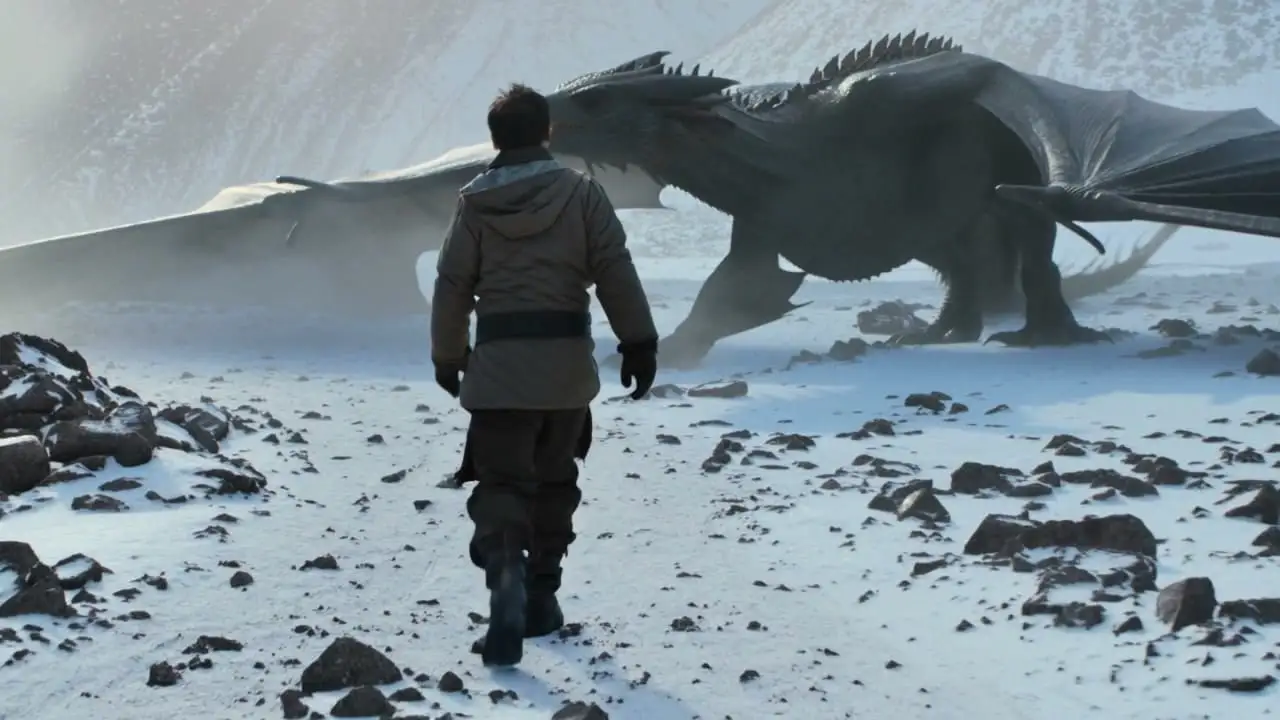
ByteDance — the company behind TikTok — has been quietly building one of the more capable AI video generation systems of 2026. Seedance Pro 2.0 is their latest release, and it has been drawing attention for a few specific reasons: motion that looks less robotic, noticeably better lip sync, and the ability to string together multiple shots into something that resembles an actual scene rather than a single looping clip.
This post covers what Seedance 2.0 actually is, how it stacks up against Sora (OpenAI) and Kling (Kuaishou), how to access the Pro version on Zyka.ai, and how to write prompts that get usable results. No hype — just what it does and where it falls short.
1What Is Seedance 2.0?
Seedance 2.0 is a video generation model from ByteDance. You give it a text prompt — sometimes combined with a reference image — and it generates a short video clip. The Pro version, Seedance Pro 2.0, is the higher-quality tier with longer maximum clip lengths and better output at higher resolutions.
What makes Seedance different from earlier AI video tools is that it was built with a specific focus on three things that have historically been weak across the category: motion realism, audio and lip sync, and multi-shot sequences.
- ✓Motion realism: Earlier AI video models often produced clips where things move in ways that look vaguely wrong — limbs bending oddly, objects sliding instead of rolling, cloth behaving like plastic. Seedance 2.0 has improved on this. Movement in generated clips tends to follow physical logic more consistently than earlier generations of the technology.
- ✓Audio and lip sync: If you give the model a dialogue line or audio track alongside your prompt, it attempts to match mouth movements to speech. Seedance Pro 2.0 handles this better than most of its current competitors, though it is not perfect — fast speech, unusual accents, and non-English dialogue all still produce visible mismatches.
- ✓Multi-shot sequences: Most AI video models generate a single continuous shot. Seedance 2.0 can generate clips that feel like they cut between angles — a wide shot, then a medium, then a close-up — while keeping the same character and environment consistent across the cuts.
The base version of Seedance 2.0 was built by ByteDance. For builders, marketers, and creators outside of ByteDance's direct ecosystem, the practical way to run Seedance Pro 2.0 — with its higher resolution output and longer clip lengths — is through Zyka.ai, which hosts the Pro model at zyka.ai/video/seedance-video-v2-0. That is the access point we walk through later in this post.
2How Does Seedance Pro 2.0 Compare to Sora and Kling?
These three models are not trying to do exactly the same thing, but they are competing for the same users. Here is an honest look at where each one stands.
On motion quality, Sora has strong motion in environments and backgrounds — flowing water, moving crowds, physical simulations. Where it sometimes struggles is with fine human movement: hands, fingers, and facial expressions under close examination can break down. Kling has a similar profile. Seedance Pro 2.0 has put specific work into human motion coherence. Characters walking, talking, and gesturing tend to hold together better across a full clip. For clips centered on human subjects, Seedance is competitive and in some cases ahead.
On lip sync and audio alignment, Seedance Pro 2.0 has the clearest advantage right now. Neither Sora nor Kling has made audio-driven lip sync a primary feature. Sora, in particular, does not natively synchronize mouth movement to audio input as of early 2026. Seedance Pro 2.0 supports audio-driven generation — you can supply a voice line or dialogue, and the model will attempt to animate the character's face to match it.
On multi-shot narrative, Seedance Pro 2.0 stands furthest apart from both competitors. Sora and Kling primarily generate single continuous takes. Seedance 2.0 has a multi-shot generation mode that maintains visual consistency across shots within a single generation. The character looks the same in the close-up as they did in the wide shot. For two-to-three-shot sequences, it works noticeably better than assembling clips from single-shot models.
On prompt adherence, Sora tends to interpret prompts liberally and makes its own aesthetic choices. Kling and Seedance Pro 2.0 both tend to adhere more literally to what you describe. If you say "medium shot, late afternoon light, character facing left," Seedance Pro 2.0 is more likely to deliver that specifically — which makes it more useful for directed production work where you have a clear shot in mind.
💡 Pro tip
Seedance Pro 2.0 is strongest on human-centered clips. Sora leads on environmental and physical simulation. Kling sits in the middle. The right choice depends on what you are making.
3How to Access Seedance Pro 2.0 on Zyka.ai
Zyka.ai hosts Seedance Pro 2.0 at zyka.ai/video/seedance-video-v2-0. Here is how to access and use it — no third-party signups, no waitlist.
- ✓Create a Zyka.ai account: Go to zyka.ai and sign up. The registration is standard — email and password. You can start generating clips as soon as your account is set up.
- ✓Open the Seedance Pro 2.0 page: Navigate directly to zyka.ai/video/seedance-video-v2-0, or find it in the video models catalog. This is where you will do all the generation work.
- ✓Choose your generation mode: Text-to-video (prompt only), image-to-video (reference image plus description), or audio-driven (prompt plus audio clip for talking character with lip sync).
- ✓Write your prompt and set output parameters: Choose resolution (720p or 1080p), clip length up to the Pro tier maximum, and whether you want a single shot or multi-shot sequence. Multi-shot mode asks for a brief description of each shot separately.
- ✓Generate and download: Generation takes a few minutes depending on resolution and length. The output is an MP4 file you can download directly from Zyka.ai. Your recent generations are stored in your account history so you can re-download or iterate on them.
Zyka.ai is pay-as-you-go. Seedance Pro 2.0 costs more per generation than base Seedance 2.0, and 1080p multi-shot clips are the most expensive tier. Check the current rates on the Seedance Pro 2.0 page before running high-volume generations — and start with short test clips before committing to longer ones.
4Prompting Tips for Best Results
Getting good output from Seedance Pro 2.0 is mostly about being specific and structuring your prompt in a way the model can parse cleanly. These patterns work consistently.
- ✓Be explicit about the camera: Describe the shot type (close-up, medium shot, wide shot), the camera angle (eye level, low angle, overhead), and whether the camera moves (static, slow pan left, tracking shot). If you leave these out, the model will choose for you.
- ✓State pacing in the prompt: Phrases like "slow, steady movement" and "quick, energetic pace" affect how the model animates the scene. Do not leave pacing implicit.
- ✓Keep characters consistent across shots by re-describing them fully in each shot description rather than using pronouns or references like "same person as before." The model handles consistent characters better when each shot prompt is self-contained.
- ✓For dialogue and lip sync, keep audio clips short and clean: Lip sync works best with clips under five seconds of speech, a single speaker, and clear pronunciation. Background noise in your audio file will degrade the results.
- ✓Describe the environment as specifically as the character: Lighting, time of day, location details, and background elements all affect the output significantly.
- ✓Avoid negation in prompts: The model does not reliably honor negative instructions like "no shadows" or "not outdoors." Describe what you want, not what you do not want.
5Example Prompts and What They Produce
These are concrete examples of what Seedance Pro 2.0 generates well. Since video cannot be embedded here, each example describes the output you can expect.
- ✓Product advertisement — single shot: "Medium shot, static camera, eye level, a glass bottle of olive oil on a wooden cutting board, kitchen background slightly out of focus, warm afternoon light from the right, gentle pour of oil into a bowl, slow deliberate movement, 5 seconds." Output: a clean product-style clip where the oil catches the light as it pours, the background stays pleasantly blurred, and motion is smooth. The kind of clip you would see in a high-quality food brand advertisement.
- ✓Dialogue scene — audio-driven: "Medium close-up, eye level, static camera, professional woman in her 40s, dark blazer, neutral background, speaking directly to camera, confident and calm tone" plus a 4-second spoken audio clip. Output: a talking-head clip where the character's mouth movement tracks reasonably well with the supplied audio. Works for spokesperson content, explainer intros, or social media talking-head formats.
- ✓Multi-shot interior scene: Three shot descriptions — wide shot of a man entering a kitchen, medium shot of him reaching for a coffee mug, close-up of hands holding a steaming mug. Output: three shots that cut together coherently with consistent character appearance and environment across shots. A usable three-shot scene without filming anything.
- ✓Exterior environment without characters: "Wide shot, static camera, early morning light, empty city street after rain, reflections in wet pavement, light mist, a few parked cars, no people, quiet mood, 6 seconds." Output: a cinematic atmospheric clip. Environmental generation is a strength — lighting reflections and gradual mist movement are handled convincingly.
- ✓What it struggles with: Crowds of more than four or five people produce visual artifacts in the background. Very fast action sequences produce motion blur and limb inconsistencies. Precise text on signs or screens inside generated clips is unreliable — the text will often be garbled or wrong.
6A Note on Predictable Tools
Seedance Pro 2.0 is a capable model that rewards specific, well-structured prompts. It is not magic — vague input produces average output, and there are clear categories of generation it handles less well. But for directed production work where you have a shot in mind, it is one of the more reliable tools in the current AI video landscape.
That principle — that a tool does its best work when its behavior is predictable and its inputs are well-defined — applies across most builder contexts. At Xlork, we think about it in the context of data imports: a schema-aware importer that tells you exactly what it expects, and why it rejected a row, is more useful than one that silently does its best. Understand what Seedance Pro 2.0 is good at, structure your prompts accordingly, and you will get consistent, usable results.
💡 Pro tip
Seedance Pro 2.0 is strongest on human-centered clips with audio sync and multi-shot consistency. You can access it on Zyka.ai without any waitlist. Prompt it with specific camera, character, and environment details for best results — and test on short clips before committing to longer, more expensive generations.