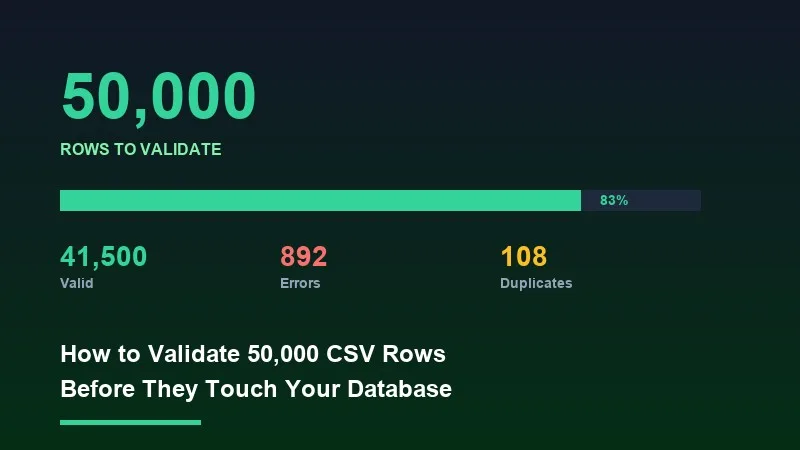
Inserting 50,000 rows into your database without validating them first is the fastest way to corrupt your production data. Malformed emails, null required fields, duplicate primary keys, and mismatched date formats all make it through unchecked — and cleaning them up after the fact costs ten times more than catching them at the boundary. This post covers how to build a validation pipeline that handles bulk CSV imports at scale: streaming architectures, type-safe schema rules, cross-field logic, error aggregation, and the performance tradeoffs between running validation in the browser versus on the server.
1Why Validation Before DB Insert Is Non-Negotiable
Most database errors surface as opaque constraint violations deep in your stack. A `NOT NULL constraint failed` or a `duplicate key value violates unique constraint` tells you something went wrong, but not which row, which column, or why. Frontend validation that catches the error before the HTTP request is sent means your users get actionable feedback instead of a generic 500.
There's also the correctness angle. A phone number stored as `5551234567` and another stored as `+1 (555) 123-4567` are the same number, but your deduplication logic will treat them as distinct records. Normalization has to happen before the write, not after.
2The Most Common Validation Failures at Scale
- ✓Missing required fields: rows arrive with blank `customer_id` or `created_at` columns that your schema requires.
- ✓Type mismatches: a numeric `price` column containing `'N/A'` or an empty string. A boolean `is_active` column with values like `'yes'`, `'true'`, `1`, or `'Y'`.
- ✓Email format errors: missing TLD, double dots, spaces in the address, or encoding artifacts from Excel exports.
- ✓Date parsing failures: Excel serializes dates as integers. CSV exports from different locales produce `MM/DD/YYYY` versus `DD/MM/YYYY`.
- ✓Duplicate detection: rows within the same file sharing a primary key, or rows that duplicate records already in your database.
- ✓Cross-field inconsistencies: a `start_date` later than `end_date`, a `discount_percent` greater than 100, or a `country_code` of 'US' with a non-US `postal_code`.
3Streaming vs. Batch Validation
The first architectural decision is whether to validate rows as a stream or load them all into memory first. For files under 5MB, loading the full parsed array is fine. Above that threshold — especially in browser environments — you need to process rows in chunks to avoid out-of-memory crashes and UI freezes.
In Node.js, pipe a `fs.createReadStream` into a `csv-parse` transformer with `{ columns: true, skip_empty_lines: true }`, then validate each row in the `data` event handler. Accumulate errors in an array rather than throwing on the first failure. This approach handles arbitrarily large files with constant memory usage.
For client-side validation, use PapaParse's `chunk` option. Set `chunkSize` to `1024 * 1024` (1MB) and process each chunk's `data` array through your validation rules before requesting the next chunk.
4Preventing UI Blocking with Web Workers
Running validation on 50,000 rows synchronously on the main thread will freeze your UI for several seconds. The correct solution is to offload the validation loop to a Web Worker. Your main thread posts the raw file (as an `ArrayBuffer`) to the worker, the worker parses and validates, then posts back a structured result containing the error list and cleaned rows.
💡 Pro tip
A practical benchmark: validating 50,000 rows with 8 rules per row (type checks, regex, required field, one cross-field rule) takes approximately 600-900ms in a Web Worker on a 2021 MacBook Pro. The same loop on the main thread blocks for 1.4-2.2 seconds. Web Workers are not optional for files this size.
5Building Your Validation Rule Set
A practical rule engine needs four categories of checks: type coercion, format validation, normalization, and cross-field logic. Each runs in that order — you can't check cross-field rules until you know a field's type is correct.
For type coercion, define a schema object where each column key maps to a type (`'string'`, `'number'`, `'boolean'`, `'date'`) and attempt the coercion in your row handler. Collect `{ row: rowIndex, column: colName, reason }` objects rather than throwing.
For email validation, a regex like `/^[^\s@]+@[^\s@]+\.[^\s@]+$/` catches common failures. Phone numbers need normalization first (strip non-digit characters, validate length). For date parsing, `Date.parse()` is unreliable across formats; use a library like `date-fns/parseISO` or implement explicit format detection.
Cross-field rules run last. By the time you reach cross-field logic, both fields have already been coerced to their proper types by an earlier step. Running cross-field rules on raw strings produces false positives.
6Duplicate Detection Strategies
Within-file duplicate detection: build a `Set` of key values as you iterate rows. Check membership on each row. This runs in O(n) time and O(n) space, which is acceptable for 50K rows.
Cross-database duplicate detection: batch the key values into a server request. Send keys in pages of 5,000 to avoid query plan issues with large `IN` clauses.
7Error Aggregation and Reporting
A validation pipeline that stops at the first error is nearly useless for bulk imports. Users need to see all problems at once. Structure your error output as `{ rowIndex, columnName, value, rule, message }` objects. Summarize at the top: total rows, valid rows, rows with errors, and a breakdown by error type.
If you have more than 500 errors, cap the displayed list and show a summary count for the remainder — rendering 50,000 error rows in a table is a UI performance problem unto itself.
8Client-Side vs. Server-Side Validation
Client-side validation runs before the HTTP request and gives immediate feedback — format checks, type coercion, required fields, and within-file duplicates. Server-side validation is your last line of defense: cross-database duplicate detection, business logic rules, and rate-limiting. Never skip server-side validation on the assumption that the client already checked — the client can be bypassed.
9How Xlork Handles This
Building this pipeline from scratch — Web Worker scaffolding, streaming parsers, rule engines, error aggregation, and a UI to display results — takes significant engineering time. Xlork's validation pipeline covers all of this as part of its embeddable importer SDK. You define a schema with column types, required fields, regex patterns, and custom validator functions, and Xlork handles the streaming parse, chunked validation, Web Worker offloading, and error reporting UI out of the box.
For custom cross-field rules, Xlork's schema supports a `rowValidator` function that receives the full coerced row object and returns field-level errors. This runs inside the same Worker pipeline as the built-in rules.
10Performance Checklist for Large File Validation
- ✓Use streaming or chunked parsing — never load a full 50K-row CSV into a single array before starting validation
- ✓Offload the parse-and-validate loop to a Web Worker to keep the UI thread free
- ✓Compile regex patterns outside the row loop — `new RegExp(pattern)` inside a per-row callback recompiles on every iteration
- ✓Collect all errors rather than throwing on first failure
- ✓For cross-database duplicate checks, batch key lookups in pages of 1,000-5,000
- ✓Cap error display at 500-1,000 and show aggregate counts for the rest
- ✓Run coercion before cross-field rules
- ✓Normalize before validating for fields like phone numbers and emails
💡 Pro tip
You can embed Xlork's full validation pipeline — streaming parse, type checking, custom rules, error reporting UI — in under 30 minutes using the React SDK. The free tier covers everything you need to prototype. Start at xlork.com/docs.
Validation at scale is an engineering problem with a clear solution space: stream your data, offload CPU work to workers, apply rules in the right order, aggregate errors completely, and enforce your schema on both sides of the network boundary. Building this yourself is doable — but if your core product isn't the CSV importer itself, there are better uses of your engineering time.